
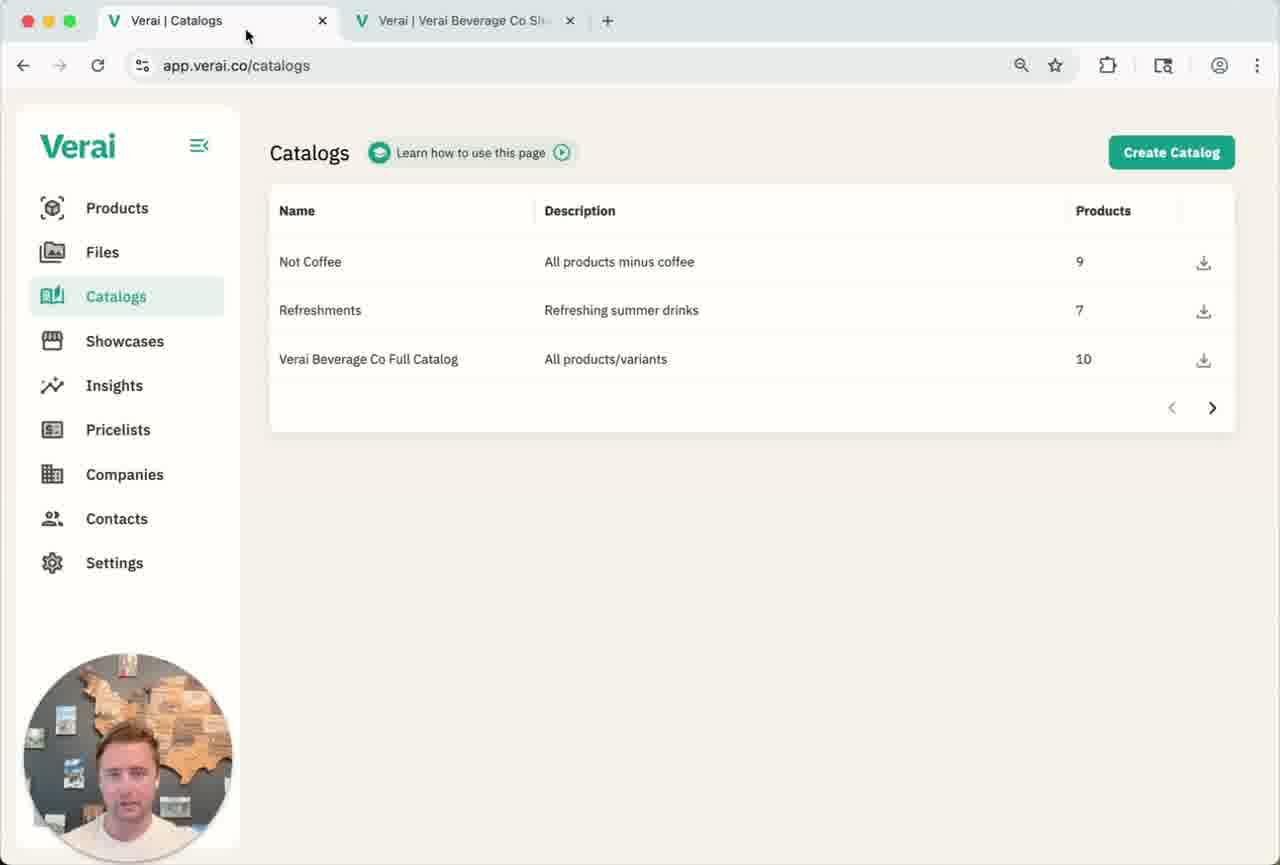
A catalog is a grouping of products used to power your showcases. Your Products page holds everything you sell — a catalog is a curated subset of that list, organized however makes sense for your business: by region, by product line, by demographic, or anything else.
Creating a catalog
- From the left navigation, select Catalogs, then click Create Catalog.
- Give the catalog an internal name and description. These are for your own reference only — buyers never see them.
- Choose which products to include. Verai preselects everything by default, so uncheck any products you want to leave out of this catalog.
- Click Review in the top-right corner to move to the pricing step.
Adjusting pricing for one catalog
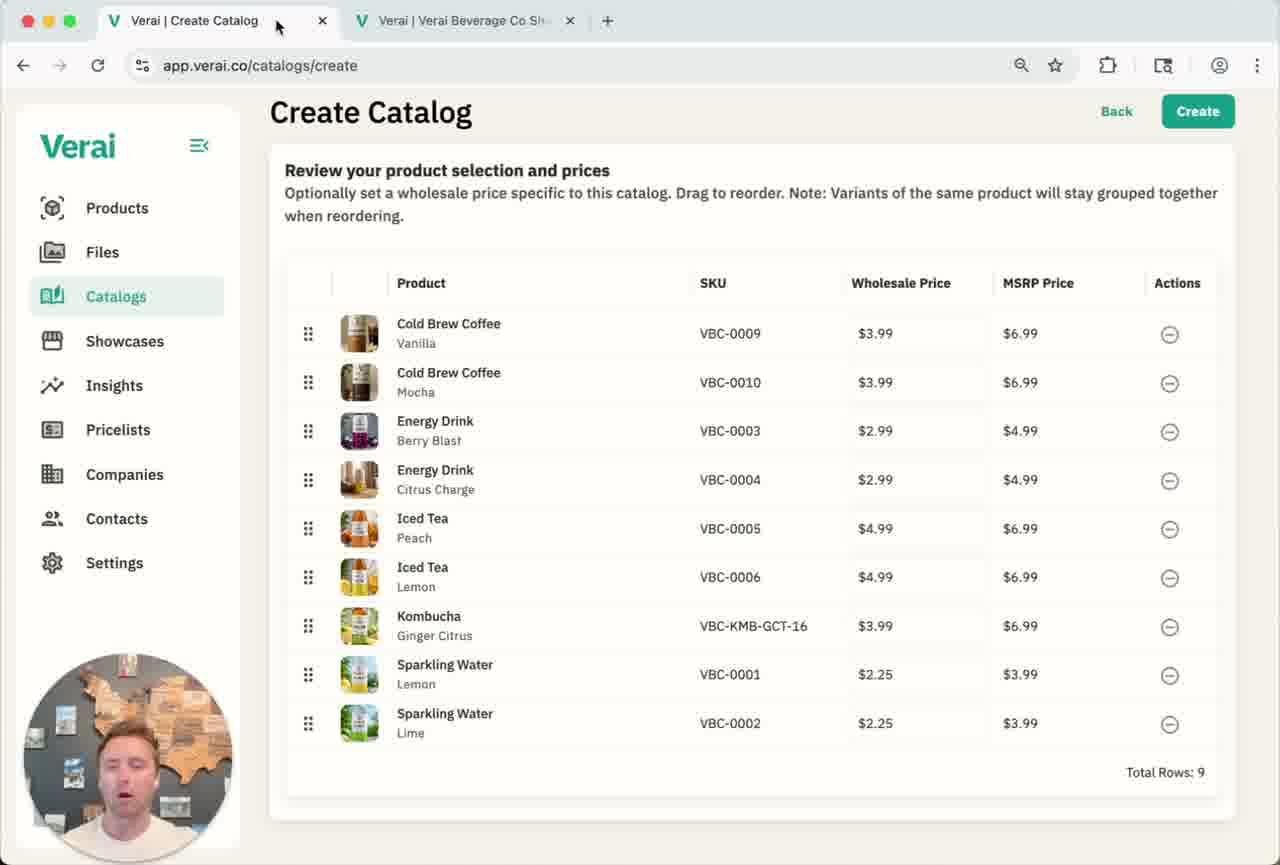
On the review screen you can override the wholesale price for this catalog only. That change will not touch the master price on the Products page, and it won't affect any other catalog or showcase using the same product.
Drag products using the handle icon on the left of each row to reorder them — this sets the order products appear in when a showcase is built from this catalog.
Connecting a catalog to a showcase
A showcase can't display any products until it's linked to a catalog. When creating or editing a showcase, choose the catalog you want to power it from the Catalog dropdown.
Because each showcase can use a different catalog, you can build one showcase around one audience — say, a summer product line — and a completely different showcase around another, all from the very same master product list.
Related guides
See How Pricelists Work and Creating & Using Showcases for how catalogs fit into the rest of Verai.
Questions? Use the Help & Support button in the bottom-left corner of Verai to send us a message — we'll get back to you as soon as possible.